
Kitchen OS
Know what is in your pantry, what you can cook, and what it does to your macros.
Watch it run
02 TAKESEvery feature, step by step
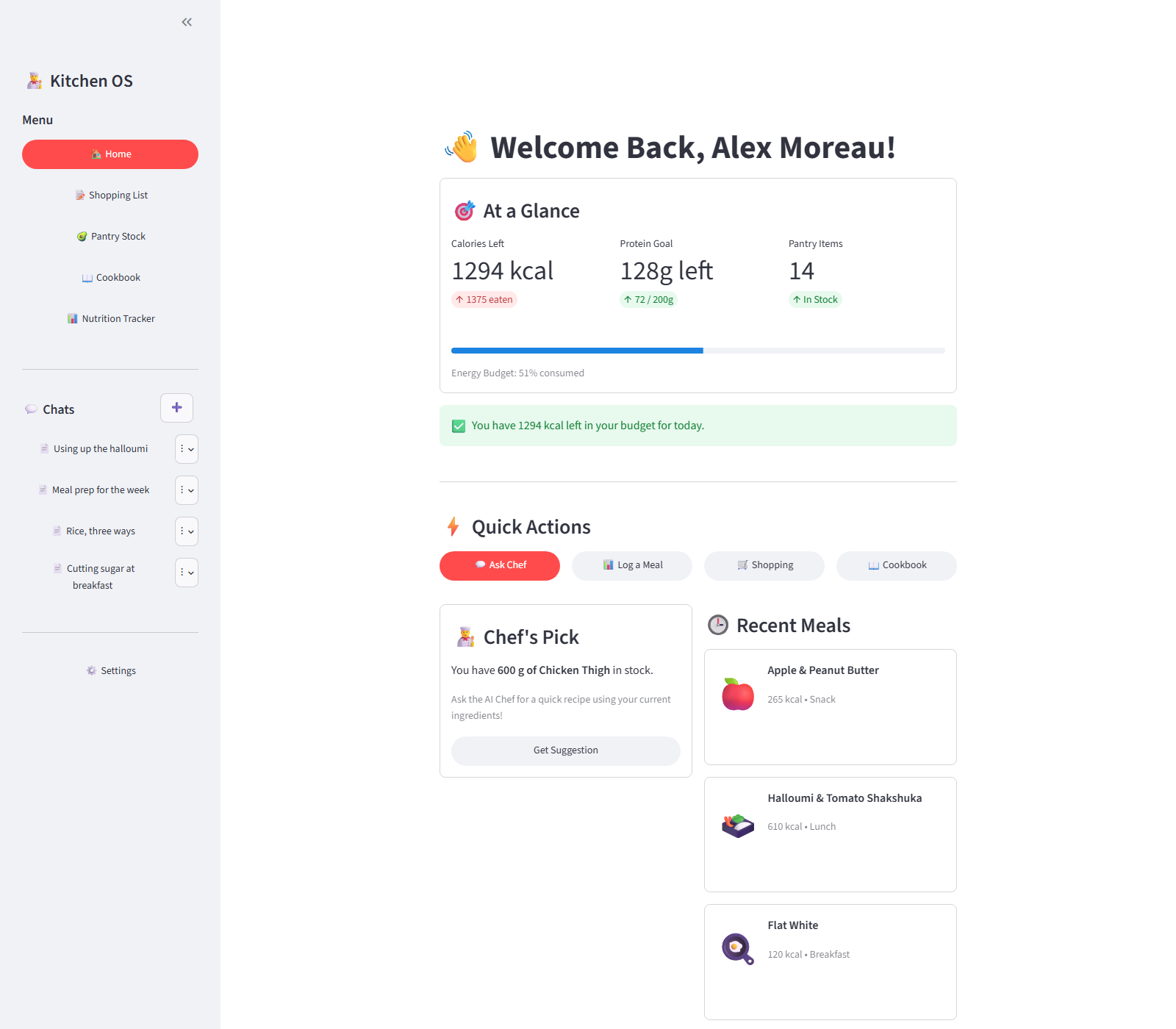
05 FEATURES · 22 SCREENS · OPEN ONEThe kitchen, at a glance
03 STEPSWhat the app is for, in three screens: what has been eaten today, what is on the shelf, and what this kitchen knows how to cook.
The list and the shelf are the same data
04 STEPSA shopping list that ends in the pantry, rather than a second list to reconcile against it by hand.
A chef that has read the pantry
04 STEPSChat sessions that persist, and answers assembled from the quantities actually in stock rather than from a generic recipe index.
Cook it, and the shelf pays for it
05 STEPSThe feature the schema exists for: cooking a recipe works out what it used and takes it back out of the pantry.
Logging it, and the targets it is measured against
06 STEPSFour ways into the food diary, and the body metrics the day’s numbers are actually calculated from.
The trailer at the top is a built motion piece rather than app footage — designed scenes, not screen capture — though every figure in it is one the walkthrough and the screenshots below show the app itself producing. Everything from the walkthrough down is the real app, and everything in it is invented: the cook, their body metrics, the groceries, the recipes, every meal and macro, and both halves of every conversation. Kitchen OS is Streamlit, so unlike the browser-rendered projects on this site there is no fetch to replace — Python runs the whole app server-side and only rendered deltas ever reach the browser. The harness stands in for the external services inside the Python process instead, before app.py, backend.py and ai_chef.py build their clients at import time. Supabase is replaced by an in-process implementation of the queries the app actually makes, and its rows persist across reruns, so ticking an item off the list or cooking a recipe is a real state change photographed before and after rather than two staged screens. Gemini is not called: its replies are scripted, though the chef quotes quantities read back out of the pantry context the app itself assembled. The food-database lookup returns invented results in the real response shape, and ingredient images are drawn rather than fetched. The app runs on synthetic credentials, and any connection to a host that is not the local server is refused and counted — a run that let one through would say so, and this one blocked none. Nothing was read from the real database and nothing was written to it, and the repository is not modified at all. Beyond the invented data nothing is retouched: the only thing hidden is Streamlit’s own local dev toolbar, and the decimal commas in the profile fields are the capture machine’s regional format rather than anything the app chose.
A pantry, recipe and nutrition tracker built in Python on a relational schema I designed from an entity-relationship diagram. Cook a recipe and it works out what you used and takes it out of your pantry — including converting between grams, millilitres and pieces.
How it’s put together
Built with
- PERIOD
- February — March 2026
- ROLE
- Solo — schema, build, ship
- SOURCE
- View on GitHub ↗
The hard parts
08 NOTESAutomatic pantry deduction when a recipe is cooked, with unit normalisation across weight, volume and count — a recipe asking for 200 ml of milk can be paid for out of a 1 kg entry, and a recipe asking for two eggs cannot.
The whole app is a Streamlit front end over a 66-function data layer, so every read and write goes through one module instead of being scattered through the pages.
A conversational recipe assistant on Gemini with real chat sessions — created, renamed, reopened and deleted — rather than one flat history that grows until it is useless.
Photograph a meal and Gemini vision estimates the macros and logs it against the day.
Personalised calorie and macronutrient targets calculated from body metrics and activity level, with a daily dashboard and full history charted in Altair.
Custom foods and reusable meal bundles, so the things you eat every week are one tap rather than four entries.
Cooking a recipe writes a log you can rate and review afterwards, and those ratings build a taste profile the assistant can use.
Shopping list that flows back into the pantry when items are marked as bought, closing the loop instead of leaving two lists to reconcile by hand.
Want the parts that aren’t on this page — the architecture arguments, the things that broke, a live walkthrough?