
Jarvis — Personal Life OS
One screen for tasks, calendar, health and money as an international student.
Watch it run
02 TAKESEvery feature, step by step
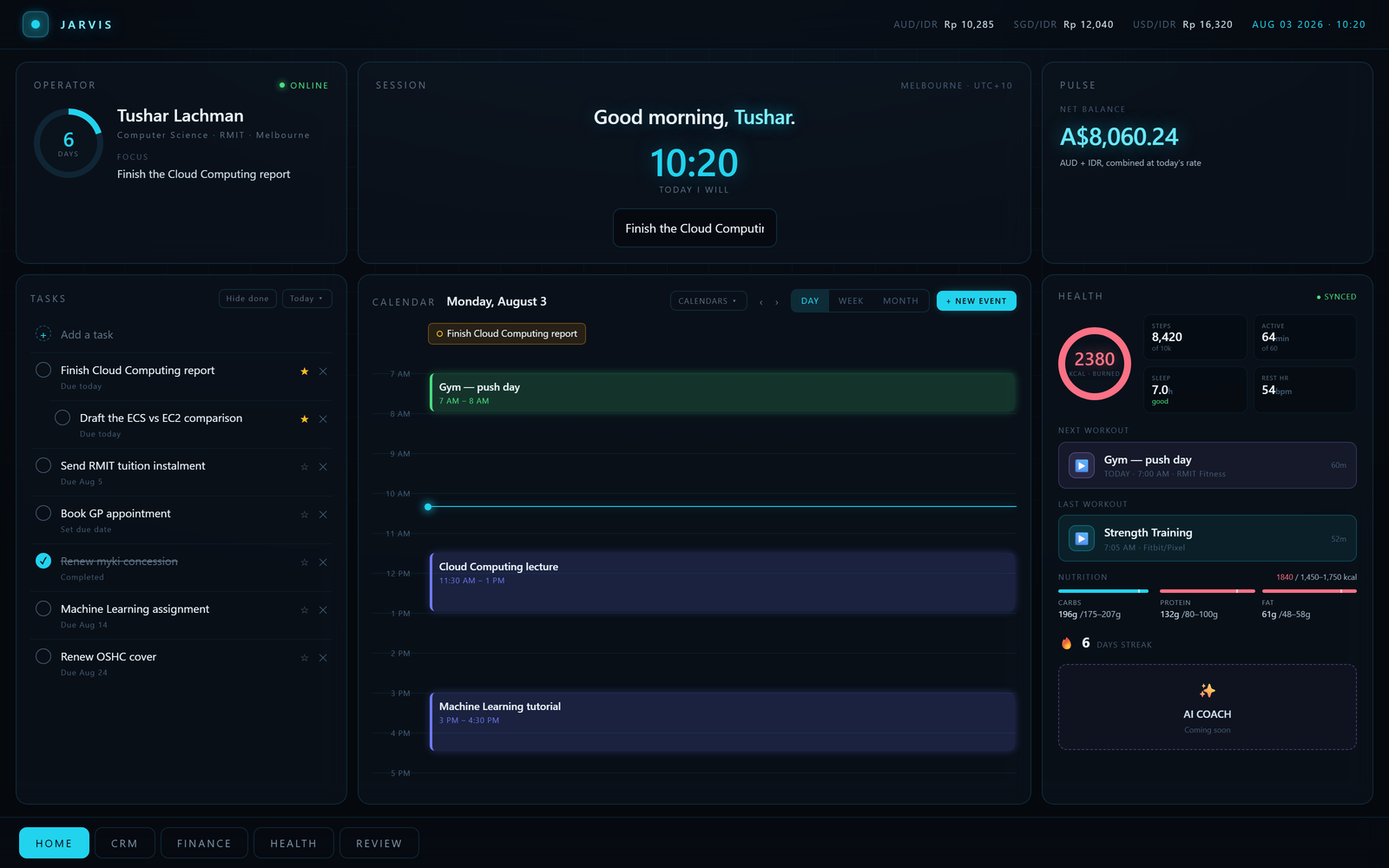
05 FEATURES · 17 SCREENS · OPEN ONEOne screen for the whole day
06 STEPSWhat I actually open in the morning: what has to be done, what is booked, how I slept and what the money is doing — without opening six apps to find out.
Both watches, one day
03 STEPSI wear a Fitbit and a Galaxy Watch 8 Classic. They report into two ecosystems that do not talk to each other, and this is the screen that makes them agree.
Money in Australian dollars
04 STEPSHalf of my money is here and half is at home, and they need to be looked at differently. This is the Australian half: what is in the accounts, what is owed to the university, and what left this month.
Where the numbers come from
02 STEPSBanks send PDFs, not APIs. Claude reads the PDF; a person still approves what it found.
The other half, at home in rupiah
02 STEPSThe Indonesian side is a different problem: a different bank, a different currency, and receipts that arrive by email rather than in a statement.
Every task, event, figure, transaction and health reading in these captures is invented. Jarvis is wired to my own bank, inbox and health accounts, so rather than seed a database or edit the app to make it presentable, the capture harness replaces the browser’s own fetch before any application code runs: the dashboard asks for /api/… exactly as it always does and gets made-up JSON back. The dev server is started with synthetic credentials as well, so no real account is reachable even in principle, and the repository itself is not modified at all. The bank on the uploaded statement does not exist either. My own name and course are the one real thing left on screen, and only because they are already the title of this site. Beyond the invented data nothing is retouched — every layout, control and state is the app exactly as it runs.
Moving from Jakarta to Melbourne meant my life was split across two countries and about six apps. Jarvis pulls it into a single dark HUD-style command centre: what I have to do today, what is in my calendar, how I have been sleeping and eating, and what my money is doing in two currencies at once.
How it’s put together
Built with
- PERIOD
- June 2026
- ROLE
- Solo — design, build, ship
- SOURCE
- View on GitHub ↗
The hard parts
08 NOTES38 REST endpoints and 10 PostgreSQL migrations behind a Next.js App Router front end, grouped by the thing they serve — auth, calendar, tasks, health, finance, fx, profile.
A Google OAuth flow with token refresh, syncing Calendar, Tasks and Gmail into one dashboard.
I wear a Fitbit and a Samsung Galaxy Watch 8 Classic, and the two ecosystems do not talk to each other — the Fitbit reports into Google Health, the Galaxy Watch into Samsung Health. Jarvis reconciles both into a single day: Google Health read live from its API, Samsung Health’s file export parsed by Claude into structured activities and meals.
Re-importing an export can’t duplicate anything: every activity carries the source file’s own record id, so an overlapping second import is a no-op rather than a double-counted run.
Claude also reads uploaded bank statements and Gmail receipts and returns structured transactions — unstructured documents become queryable records.
The money side tracks both currencies separately and honestly: AUD statements and transactions, IDR statements from home, tuition instalments, and email-synced receipts, each with their own ingestion path.
An AUD-to-IDR remittance tracker that compares the live rate against a 30-day average and flags good windows to transfer money home, with a log of what was actually sent and what arrived.
The health surface is more than a step count: a day view, a weekly roll-up, resting and latest heart rate, body measurements over time, and nutrition synced from the same export.
Want the parts that aren’t on this page — the architecture arguments, the things that broke, a live walkthrough?